Kipper Review: Ask QuickBooks, Xero & NetSuite in Claude, ChatGPT or Slack (2026)
Kipper connects QuickBooks Online/Desktop, Xero, and NetSuite so teams ask live ledger questions in Claude, ChatGPT, Gemini, Slack, Teams, SMS, or web…

Reviewing Kipper · Published · 11 min read
Opening
Finance questions usually mean a login, an export, and a spreadsheet someone has to babysit. The person who needs the number—founder, sales lead, controller—waits while whoever owns QuickBooks or NetSuite digs.
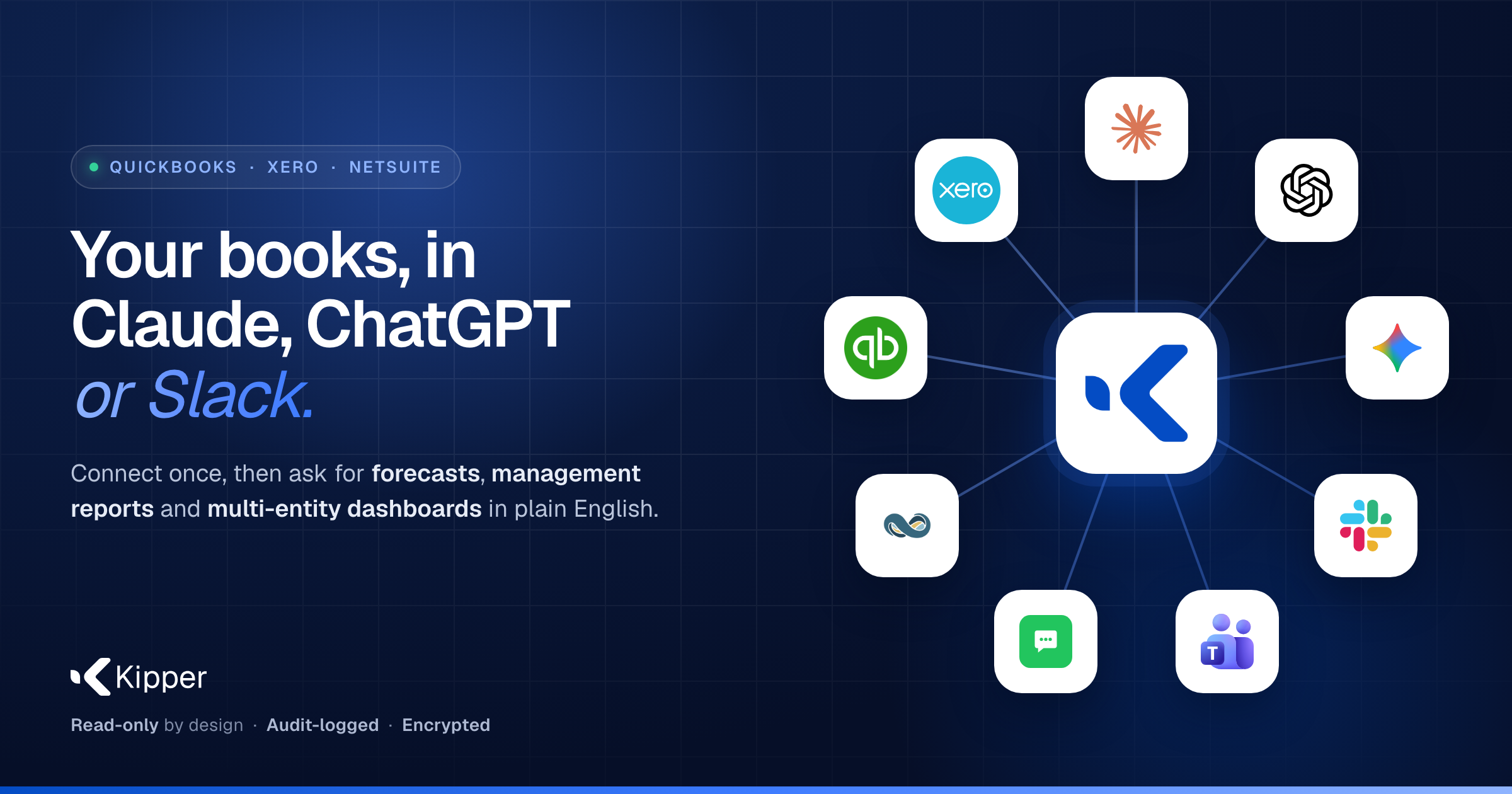
Kipper is a read-only bridge between your accounting system and the tools people already use. Connect QuickBooks Online, QuickBooks Desktop, Xero, or NetSuite once. Then ask in Claude, ChatGPT, or Gemini (Kipper AI over MCP) or get a fast number in Slack, Microsoft Teams, SMS, or the Kipper web app (Kipper Chat). Answers come from a synced copy of the ledger—not a separate model someone rebuilds every month.
On Launchpadly, slug kipper, category SaaS, tagline Your books, in Claude, ChatGPT or Slack., listed 2026-11-03, Week 46 / 2026. Kipper won Product of the Week on that board. Site: https://kipper.com/. Founders: Jo Milton (COO, London) and Stony Grunow (CEO, New York) per Team.
Disclosure: Independent Launchpadly editorial from public pages reviewed November 2026. We did not connect a production company file, exhaust Chat question pools, verify NetSuite OneWorld sync latency under load, or audit SOC 2 evidence packages. Sample-book demos and “seconds” answer language are vendor marketing. Confirm live pricing, connectors, and security status before you buy—some older interface pages still show a different SKU shape than the main pricing table.
Key takeaways
- Two surfaces, one connection: Kipper AI (forecasts, reports, dashboards in Claude/ChatGPT/Gemini) and Kipper Chat (plain-English numbers in Slack/Teams/SMS/web). Many teams use both.
- Read-only by architecture—Kipper never creates, edits, or deletes in the ledger. Permissions are person-level; queries are logged. Hosting: AWS US; SOC 2 Type II in progress (not a finished report).
- Pricing honesty: free for one QuickBooks Online company; Starter from $200/mo for two companies (then a published per-company ladder); Pro = 1.5× Starter; NetSuite = $1,000/mo for 20 active users. Prefer kipper.com/pricing over older interface pages that still pitch a flat $200 / 10-user story.
- Multi-entity and firms are first-class: mix QBO + Desktop + Xero in one workspace; firms get a workspace per client. Cross-company views are management consolidation, not eliminated statutory statements.
What is Kipper?
Kipper is finance Q&A infrastructure, not a second GL and not a write-back bookkeeping bot. Marketing: connect once, ask where you work, get figures from your books. Kipper AI is pitched for owners and finance teams who want forecasts and written reports; Kipper Chat is pitched for everyone else who needs cash, AR, or “did they pay?” without an accounting login.
It is not a full close package, not a replacement for your accountant’s judgment, and not a claim that every AI-written narrative is audit-ready without a human skim.
Contact path: schedule a setup call from the homepage; pricing and product FAQs live on kipper.com and pricing.
Evaluation methodology
Reviewed November 2026 against public materials only:
- Home, Pricing, Team
- Product/interface pages for QuickBooks, Teams, Gemini (checked for pricing drift)
- Launchpadly
/startup/kipper
We did not subscribe, run a 14-day Starter trial against live books, or compare query accuracy against a controller’s Excel pack. Competitive notes are category positioning, not attack copy.
Product overview
The problem it actually attacks
Three frictions: (1) login + export for every ad-hoc question, (2) multi-entity stitching at every close, (3) non-finance staff blocked behind a licensed seat. Kipper’s bet is one read-only sync plus ask-where-you-are UX.
Two ways to ask
| Surface | Where | Job |
|---|---|---|
| Kipper AI | Claude, ChatGPT, Gemini (MCP) | Forecasts, management reports, dashboards built on live numbers |
| Kipper Chat | Slack, Teams, SMS, Kipper web | Fast answers—cash, overdue invoices, vendor balances—scoped per person |
Who it is for (as published)
| Buyer | Why Kipper |
|---|---|
| Multi-entity groups | One workspace; ask about one company, a few, or the group |
| Accounting / bookkeeping firms | Workspace per client; switch in a click; same per-company price language |
| Owners / founders | Cash, profit, receivables without waiting on a report cycle |
| Finance / controllers / CFOs | Forecasts and month-end narrative from the books; group dashboard on request |
Key features
Connectors and freshness
Supported ledgers (home + FAQ): QuickBooks Online, QuickBooks Desktop, Xero, NetSuite. Marketing freshness: QBO and Xero real time; NetSuite and Desktop within minutes (pricing page also says Desktop/NetSuite as often as every 5 minutes). Desktop/Enterprise runs through a desktop connector with a published +$50/mo per company file on paid QuickBooks/Xero plans.
Multi-entity and transfers
Ask across companies; transfers between own entities stay on their own line. Vendor FAQ is explicit: for eliminated statutory consolidations, use a consolidation tool—Kipper is the ops/management view, not a statutory close engine.
Forecasts, reports, dashboards
Published example workflows: 13-week cash flow (closed weeks from books; forward weeks labeled as projection), management report written from last month’s figures, side-by-side cash by company, KPI dashboards with “see the working” behind a number. Demo UIs use sample books—treat layouts as illustrative.
Permissions, logging, security
Starter: AR / AP / everything-style sets. Pro: custom permissions in SQL and staff access by workspace. Queries logged with who/when. Encryption in transit and at rest; AWS US hosting; SOC 2 Type II in progress. Enterprise adds SSO/SAML, security review, EU/dedicated hosting options, direct SQL for BI.
What it will not do
No create/edit/delete in the accounting system. No substitute for your Claude/ChatGPT/Gemini subscription on the AI path—paid Kipper plans treat those queries as unlimited because your AI subscription does the thinking. Kipper Chat “questions” (answers Kipper itself) sit on a monthly pool.
Pricing and honesty
Prefer the pricing page over older SKUs
Pricing (research snapshot):
| Offer | Published price | Notes |
|---|---|---|
| Free | $0 | One QuickBooks Online company; 1,000 AI queries/mo; 10 web-chat questions/mo; unlimited users; no Xero/Desktop/Slack/Teams/SMS |
| Starter | From $200/mo (2 companies) | Formula: $100/mo + per-company ($50 each for 1–5, $25 for 6–20, $10 after); 14-day trial; 50 Chat questions per company/mo; extras $0.05 |
| One Xero org | $150/mo on Starter | Free tier is QBO-only |
| Pro | From $300/mo (2 companies) | 1.5× Starter at every size; SQL permissions |
| QBD / Enterprise file | +$50/mo per file | On Starter/Pro |
| NetSuite | $1,000/mo | 20 active users; +$25/user; 2,000 questions + 50/extra user; extras $0.25; OneWorld subsidiaries one connection |
| Enterprise | Custom annual | SSO, legal/security pack, BI SQL, regional hosting |
Published ladder examples: 5 companies Starter $350; 10 $475; 20 $725. Firms: same per-company price across client workspaces; firm workspace included per pricing copy.
Drift warning: some interface pages (e.g. Teams / Gemini / QuickBooks marketing) still describe a $200 / 10 active users QuickBooks·Xero SKU and 2,000 questions pooled differently. Treat that as stale marketing unless Kipper reconciles it—buy from the live pricing table.
How Kipper compares
| Need | Lean Kipper | Lean native reports / Excel | Lean write-capable AI bookkeeping | Lean full BI + warehouse |
|---|---|---|---|---|
| Ask in Slack/Claude without GL login | Core design | Weak | Varies | Rare |
| Multi-entity ops answers | Strong marketing | Manual | Depends | Strong if modeled |
| Post journals / reconcile | No (read-only) | Manual | Often yes | N/A |
| Statutory eliminations | Explicitly out of scope | Possible with care | Tool-dependent | Often yes |
| Finished SOC 2 report day one | In progress | N/A | Vendor-dependent | Vendor-dependent |
Who should use Kipper
- Groups running several QBO/Xero entities who want one ask across the stack.
- Firms that will maintain a workspace per client and answer from Claude/ChatGPT.
- Operators who already pay for Claude or ChatGPT and want the assistant grounded in the ledger.
- Teams that need Slack/Teams/SMS answers for sales/ops without handing out finance logins.
- NetSuite shops that want OneWorld questions without buying NetSuite seats for every asker (per NetSuite plan marketing).
Who should avoid it
- Anyone who needs the tool to write to QuickBooks/Xero/NetSuite (bills, journals, payments).
- Buyers who treat “AI management report” as audit-ready without a human check.
- Single-entity shops that only need occasional exports—the free QBO tier may be enough; paid Chat/Slack may be overkill.
- Procurement that requires a completed SOC 2 Type II before first sync—status is in progress.
- Teams that need eliminated consolidated statutory statements as the primary deliverable.
Editorial ratings
Launchpadly editorial judgment from public materials—not a timed production-ledger lab. Scores match the labels in meta.
| Category | Score (/10) |
|---|---|
| Ask where the team already works | 8 |
| Free QBO + clear company ladder | 8 |
| MCP + forecasts from live books | 8 |
| Live sync; Chat question pools | 7 |
| Multi-entity + firm workspaces | 8 |
Ease (8): Clear connect-once story; Desktop connector and NetSuite path add setup. Value (8): Real free QBO surface and published company math; Chat overages and Desktop adders matter. AI (8): MCP + assistant-built reports are the differentiator—accuracy still depends on clean books. Automation (7): Live sync helps; Chat pools and projection weeks still need human judgment. Depth (8): Broad connectors and firm/multi-entity story; not a close/consolidation suite.
Pros and cons
Pros
- Honest read-only boundary—reduces “AI changed my books” risk
- Free one-company QBO path with no card required (per pricing FAQ)
- Ask in Claude/ChatGPT/Gemini and/or Slack/Teams/SMS from one sync
- Published multi-entity and firm workspace model with concrete Starter/Pro/NetSuite numbers
- Query logging and permission ladders (AR/AP → SQL on Pro)
- Launchpadly Product of the Week (W46) signals community interest—not a quality certificate
Cons
- Chat question pools (50/company on Starter/Pro; 10 on Free web chat) can surprise heavy Slack users; overages $0.05 (QBO/Xero) or $0.25 (NetSuite)
- Pricing-page vs interface-page drift on older $200/10-user copy—confirm before budgeting
- SOC 2 Type II in progress—security questionnaires may stall enterprise deals
- Desktop files cost +$50/mo each; Xero starts paid ($150 for one org)
- Not a write-back or statutory consolidation product—wrong tool if that is the job
- We did not independently verify answer accuracy on messy live books
Real use cases
Owner cash check. Connect free QBO → ask Claude for this week’s cash and AR over 30 days → decide whether the paid Chat channel is worth it for the ops team.
Five-entity group. Starter at published $350/mo for five QBO/Xero companies; ask for group cash with intercompany transfers on their own line; keep statutory elim in the consolidation tool.
Firm Friday. Workspace per client; staff ask in ChatGPT with unlimited paid queries; clients’ sales teams get Slack answers under AR-only permissions.
NetSuite without seats for everyone. $1,000 plan for 20 active askers across OneWorld subsidiaries; reserve extras budget if SMS/Slack volume spikes.
Skip case. Need the AI to draft and post correcting journals into QuickBooks—pick a write-capable bookkeeping product instead.
Verdict
Kipper is a serious read-only finance assistant layer: connect the GL once, ask in the AI and chat tools people already open, and keep writes inside QuickBooks, Xero, or NetSuite. Strongest for multi-entity and firm workflows with a clear free → Starter → Pro → NetSuite ladder. Weakest if you need write-back automation, finished compliance paperwork on day one, or statutory eliminations as the headline deliverable.
Buy if you will start on free QBO (or a 14-day Starter trial), read pricing carefully for company count and Chat pools, and treat AI narratives as drafts grounded in SQL you can inspect.
Skip if you need Kipper to change the books, or if procurement cannot move without a completed SOC 2 Type II report.
Start at kipper.com, price the company count on pricing, then optionally cross-check Launchpadly at /startup/kipper.
FAQ
What is Kipper best for?
Read-only answers and AI-built reports/forecasts from QuickBooks, Xero, or NetSuite, asked in Claude/ChatGPT/Gemini and/or Slack/Teams/SMS/web—especially across multiple companies.
How much does Kipper cost?
Free for one QBO company. Starter from $200/mo for two companies (published per-company ladder). Pro is 1.5× Starter. NetSuite is $1,000/mo for 20 active users. Confirm live numbers on pricing.
Is Kipper read-only?
Yes, per product FAQ and security copy. Creating, editing, and approving stay in the accounting system.
Does free include Xero or Slack?
No. Free is one QuickBooks Online company with Claude/ChatGPT connection and limited web-chat questions. Xero, Desktop, Slack, Teams, and SMS sit on paid plans.
What is the difference between a query and a question?
A query is SQL Claude/ChatGPT runs on your synced books (unlimited on paid plans; 1,000/mo on Free). A question is one Kipper answers itself in Chat channels (pooled monthly; overages billed).
Is Kipper SOC 2 compliant?
SOC 2 Type II is in progress—not presented as a finished report on the pages we reviewed. Contact sales for security review needs.
Who founded Kipper?
Jo Milton and Stony Grunow, per kipper.com/team.
Where should I start?
Connect one QBO company on kipper.com, try a cash/AR question in Claude or ChatGPT, then open pricing before adding entities or Chat channels. Directory context: Launchpadly /startup/kipper.
Similar products on Launchpadly
 CostLoop
 Launch Auditor
 Root HR
More SaaS reviews

SaaS
Growtality Review: Restaurant Bookings, Direct Ordering & Guest CRM Without the Marketplace Cut (2026)
Growtality is an Edinburgh all-in-one for reservations, direct ordering, guest CRM, loyalty, branded…

SaaS
SuiteMigration Review: QuickBooks & Xero to NetSuite Without the Spreadsheet Marathon (2026)
SuiteMigration migrates full financial histories from QuickBooks Online, Desktop, Enterprise, and Xe…

SaaS
Melaya Review: Governed AI Agents for Tools, Browser & Android (2026)
Melaya is a multi-product AI agent platform—Agents, Assistant, Device Control, Browser Control, MCP,…

SaaS
StopReg Review: Disposable Email & Signup Abuse Detection API (2026)
StopReg is a real-time email intelligence API for blocking disposable, relay/alias, role-based, and…